Social Media Ambassador Program
Become a Social Media Ambassador with the Toledo Rockets!
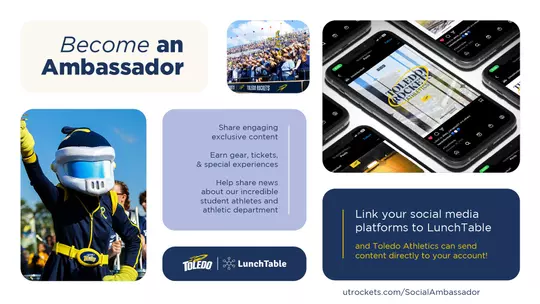
- Share engaging content (videos, polls, behind-the-scenes!)
- Earn gear, tickets, and special experiences
- Help share news about our incredible student athletes and athletic department
Link your social media platforms to LunchTable where Toledo Athletics can send content directly to your account!
Become an Ambassador
To apply to become a Social Media Ambassador fans must create a LunchTable Account and link their social media accounts. After creating a LunchTable account Toledo Athletics will review your account and select you as an ambassador if your account meets the requirements and you are chosen.
You will receive emails or texts as updates through the platform. LunchTable will alert you if there are posts scheduled to be sent out and you may have the option to edit and approve posts before they are sent out. You can also be alerted about new awards and milestones that the Rockets have set which can mean prizes or new challenges to complete. The platform allows users to send posts created by Toledo Athletics at anytime by selecting from the “Evergreen Posts” tab in the storyboard section. Users can also upload their own content that is shared with the Rockets to use in marketing campaigns throughout the season. More details will be shared when new campaigns begin with fully onboarded members.
How to Link Accounts
To start your Social Media Ambassador application click HERE or use the button at the bottom of the page.
- Share your name, email, phone number, and create a password.
- Let us know:
- What sports you are a fan of! We will use this information to customize what posts you receive through the platform.
- Let us know your connection to Toledo so we can send relevant updates and posts.
- When you reach the page titled “Connect your Socials” you will need to link accounts through a mobile phone and decide if you want the content to post automatically or if you would like to be asked to approve content before it is posted.
- LunchTable lets users choose to have posts sent automatically or keep the option to edit and approve posts before they are published.
- To opt out of automatic posting make sure to turn off the slider at the bottom of the screen. You can change this at a later date if you are unsure.
- LunchTable lets users choose to have posts sent automatically or keep the option to edit and approve posts before they are published.
- Have your social usernames and passwords ready when you connect. Most phones will remember your password and make the connection process easy.
- Use the guidelines below to choose which social media platforms to connect to, Platforms will ask you to authorize apps to connect and share content that comes from LunchTable
- If you have a LinkedIn and want to share the great achievements, and progress of our department opt in to LinkedIn (Personal or Business depending on how your account is set up).
- If you manage a business’ Facebook Business Page and would like to share Toledo Athletics content be sure to connect it to LunchTable. *You are not able to connect a personal Facebook to LunchTable at this time*
- If you have an X (Formerly Twitter) account and would like to share exclusive content and achievements from our student-athletes connect it to LunchTable.
- If you have an Instagram account and would like to share exclusive content and achievements from our student-athletes connect it to LunchTable. *To connect an Instagram Account to LunchTable please convert it to a public professional account. This will require you to create a new Business Page to be linked that will not post to or affect your personal Facebook. An instruction video for this process can be found at utrockets.com/LunchTableIG *
Pairing accounts with LunchTable will require:
- Instagram accounts to be converted to digital creators which will make them public.
- Twitter accounts must be public.
- LinkedIn accounts must be public.
- Facebook accounts should only be paired if the individual has a business page. Personal accounts (even if they are public) cannot be paired.
Posting & What to Expect
LunchTable will alert you if there are posts scheduled to be sent out and you may have the option to edit and approve posts before they are sent out. The platform allows users to send posts created by Toledo Athletics at anytime by selecting from the “Evergreen Posts” tab in the storyboard section. Users can also upload their own content that is shared with the Rockets to use in marketing campaigns throughout the season.
When a post is going out you can edit the post through the email or you can:
- LOG IN to your LunchTable account at www.lunchtable.ai. (You might also receive an email or text from LunchTable.)
- Go to the Storyboard menu under the Pending or Approved posts tab. From there, you can edit, reschedule, and approve the post.
More details will be shared when new campaigns begin with fully onboarded members.
Privacy/ Kind of Access
LunchTable allows Toledo to send content to you directly, but your account information is neither captured nor shared and your account can be unlinked at any time. The performance of your posts are tracked in order to make you eligible for rewards and for Toledo Athletics to measure the success of campaigns.
- Please feel free to reach out to heather.lutz@utoledo.edu with any questions or concerns regarding LunchTable accounts.